
/aistudio/usage). It needs the agent.read permission.
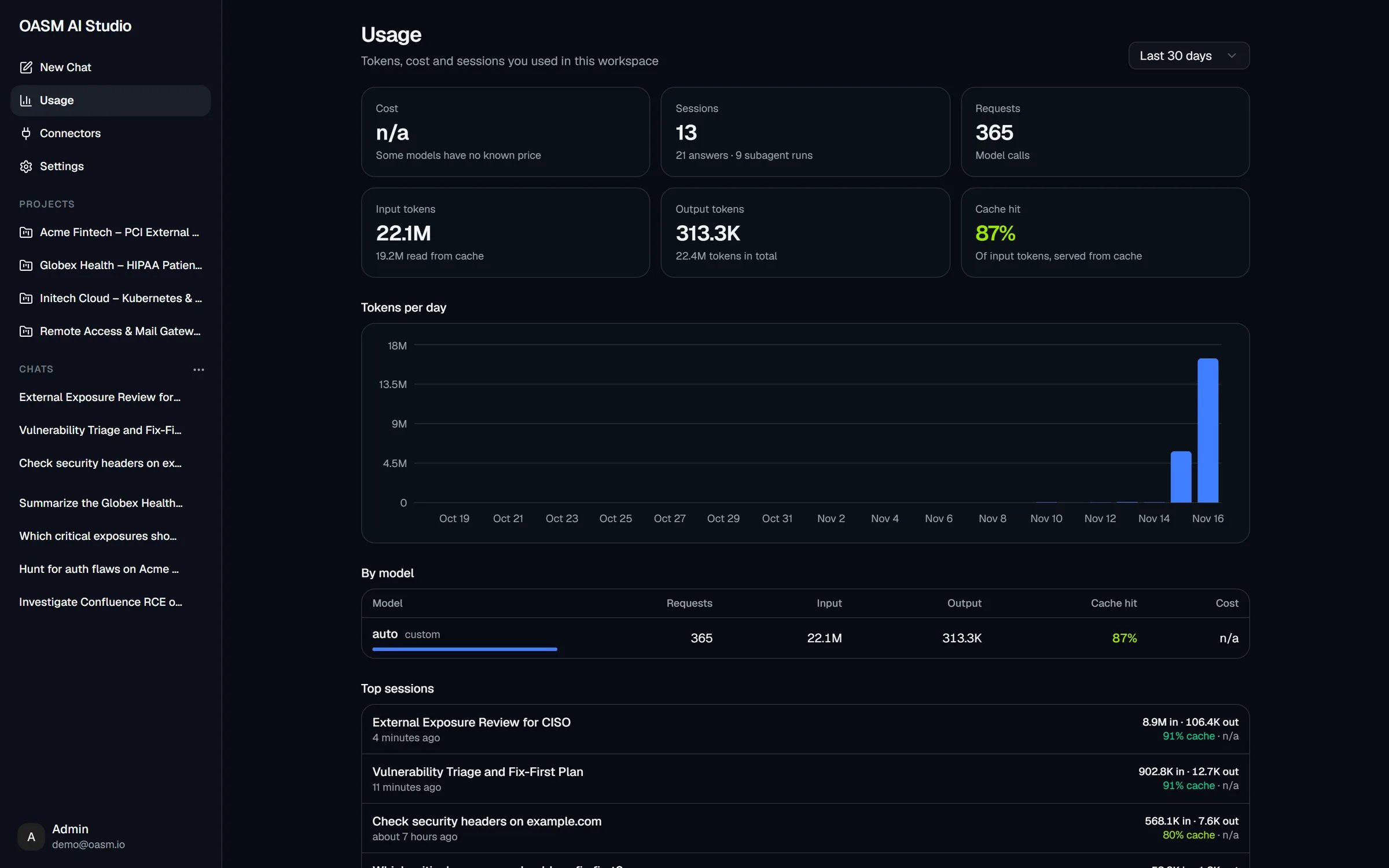
The Usage page over the last 30 days
Whose usage is shown
The page shows your own usage in the current workspace:- Every finished answer in your conversations, and every subagent run those conversations dispatched.
- Answers you stopped are not counted.
- Background calls, such as title generation and conversation summaries, are not counted.
- Usage belongs to its conversation: deleting a conversation removes its usage from this page.
Choose a time range
Use the range menu at the top right: Last 7 days, Last 30 days (the default) or Last 90 days. Days are calendar days in your browser’s time zone, ending today. An answer counts on the day it started; a subagent run counts on the day it completed. If nothing was used in the range, the page shows “No AI Studio usage in the last N days.”Summary cards
Token counts are shortened, for example
22.1M or 313.3K.
Tokens per day
A bar chart of the total tokens (input plus output) for each day of the range. Hover a bar to see that day’s Tokens, Input, Output, Cache hit, Requests and Cost.By model
One row per model and provider, sorted by total tokens, heaviest first.
Subagent runs are counted under the model they ran on, so a separate Subagent Model shows up as its own row.
Top sessions
Up to ten conversations with the most tokens in the range. Each row shows:- The conversation title, and when it was last active.
- Input and output tokens, for example
8.9M in · 106.4K out. - Cache hit and cost, for example
91% cache · n/a.
How cost is estimated
When an answer or a subagent run finishes, OASM computes its cost from the model’s published prices per million tokens. The prices come from the models.dev catalog snapshot that ships with your OASM version:- Input tokens not served from cache, at the input price.
- Tokens read from cache, at the cache-read price (or the input price if the model has none).
- Tokens written to cache, at the cache-write price (or the input price if the model has none).
- Output tokens, including reasoning tokens, at the output price.
Why cost shows n/a
A call has no known price when:- It ran on the Custom provider (OpenAI-compatible). OASM never prices self-hosted or custom endpoints.
- Its model is not in the bundled catalog for that provider, for example a model newer than your OASM version or a gateway’s own routing model.
Cache hit
Providers can cache the beginning of a prompt that repeats between calls, such as the system prompt, tool definitions and earlier turns of the conversation. Cache hit is the share of input tokens the provider served from that cache:— when there were no input tokens.
A low cache hit can mean that the provider or model does not report cached tokens, or does not cache prompts at all.
Related
Models
Choose a cheaper subagent model or change the default model
Side panel
Turn stats, context usage and cost of a single conversation
Connect a model
Connect providers and pick models
AI Studio overview
What AI Studio is and how an agent task flows