
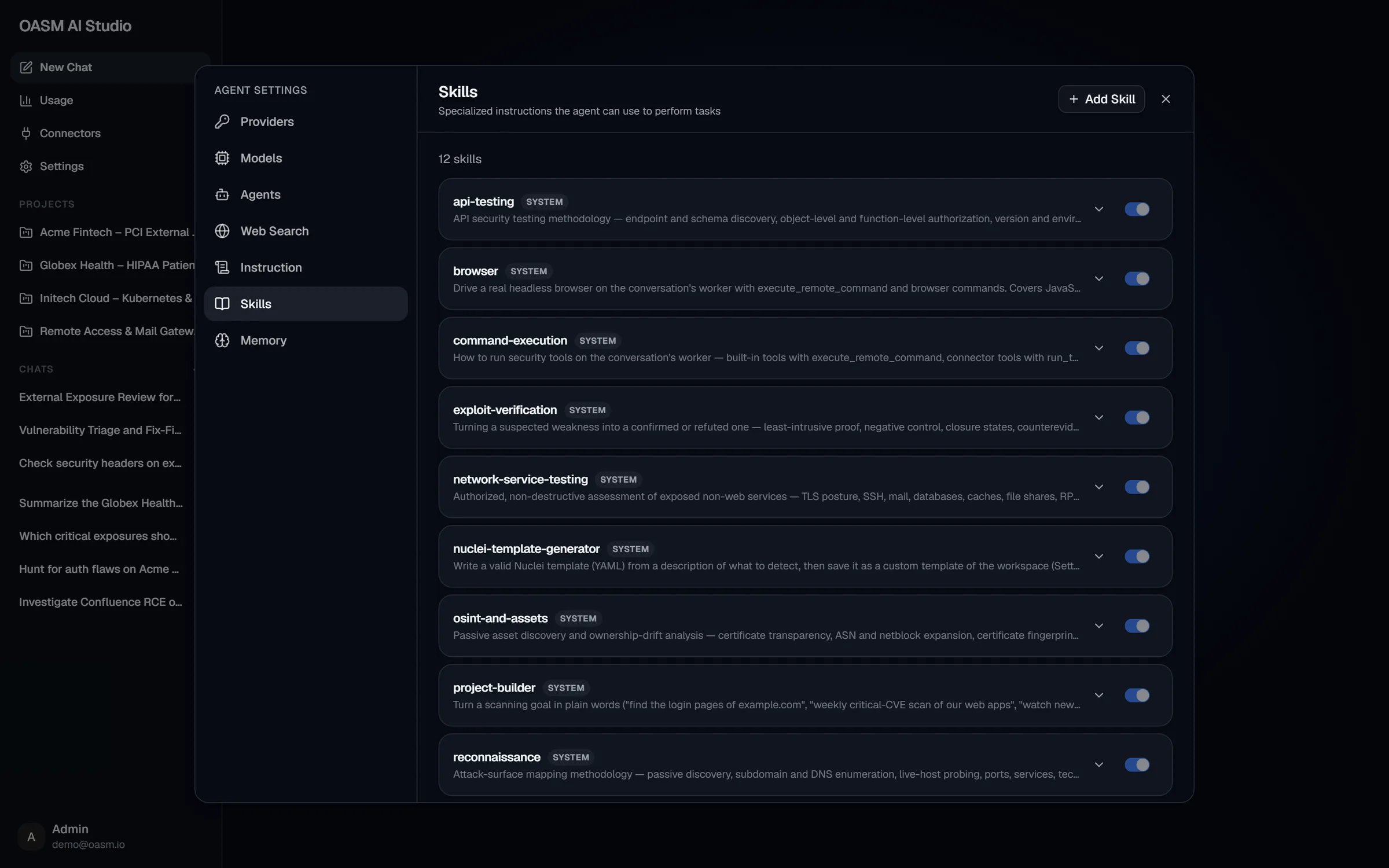
Settings → Skills: system skills are marked SYSTEM and are always on
How the agent uses skills
- Every conversation’s system prompt lists the available skills: all system skills plus the workspace skills that are turned on, each as its name and description.
- When your request matches a description, the agent calls its
load_skilltool with the skill’s name and receives the full content. - The agent follows those instructions for the rest of the task.
System skills
System skills ship with OASM. They are always on, marked SYSTEM, and cannot be edited, turned off or removed. Click a row to expand it and read the full content.Add a workspace skill
Workspace skills are shared with every member of the workspace and are offered to everyone’s agent as soon as they are saved.1
Open the Add Skill dialog
In AI Studio, open Settings → Skills and click Add Skill in the header.
2
Name the skill
In Name, enter a short unique name, for example
code-review. The agent loads the skill by this name.3
Describe when to use it
In Description, write one line that tells the agent when the skill applies, for example “Use when reviewing a web app’s login and session handling”.
4
Write the content
In Content, write the instructions in Markdown: when to apply the skill, the steps to follow, what to check and what to hand back.
5
Save
Click Add Skill. The console confirms with “Skill created”. New skills start turned on.
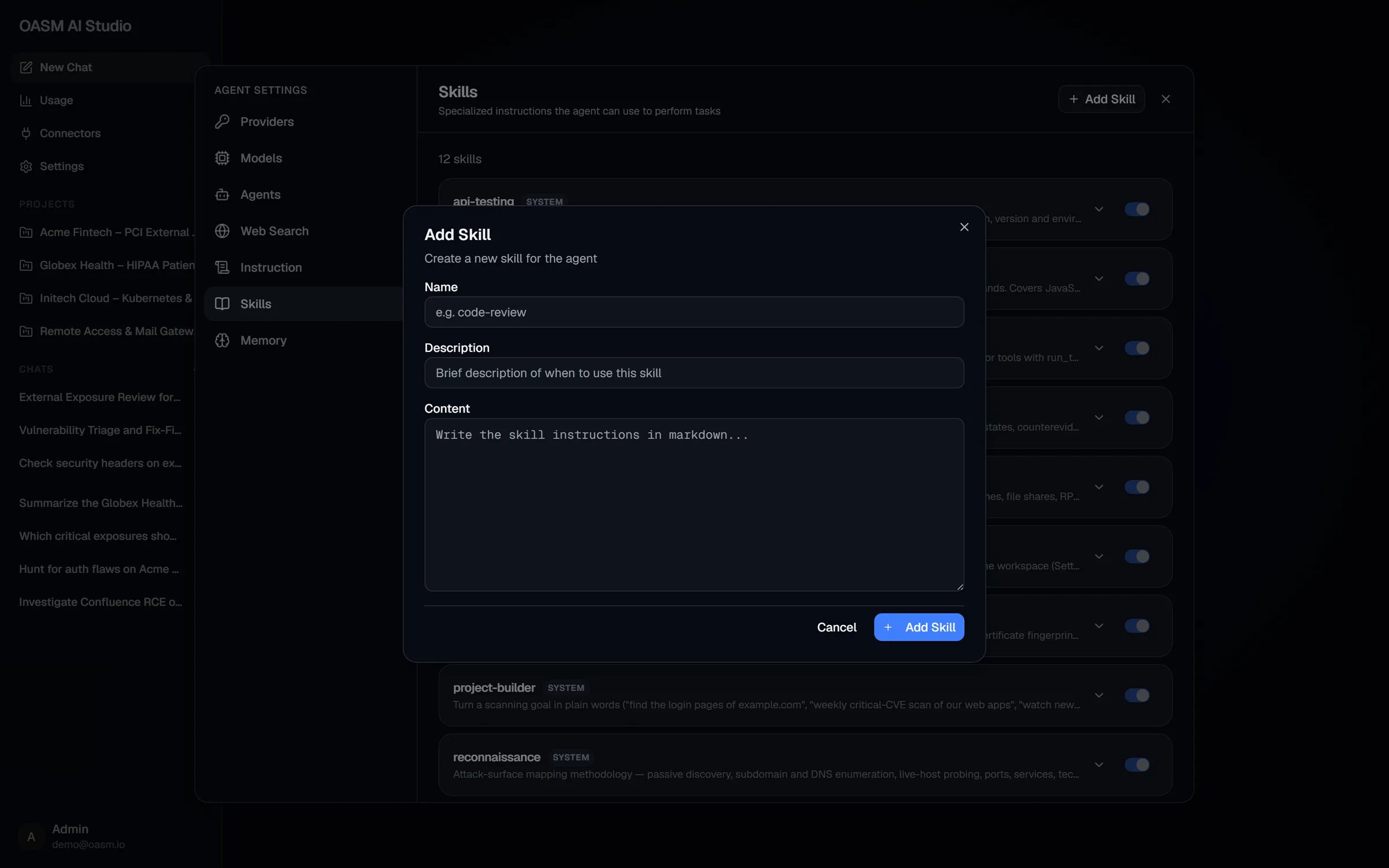
The Add Skill dialog
Fields and rules
Turn a skill on or off
Use the switch on a workspace skill’s row. A skill that is off shows a Disabled badge: it is left out of the agent’s skill list andload_skill refuses it, for subagents too. Turn it back on to make it available again. System skills cannot be turned off.
Edit or remove a skill
1
Edit
Click the pencil icon on a workspace skill’s row. The Edit Skill dialog opens with the same fields. Click Save Changes (“Skill updated”). Renaming checks the new name for duplicates.
2
Remove
Click the trash icon, then confirm Remove in the Remove Skill dialog (“Skill removed”). Removing cannot be undone.
Who can change skills
Other members see the Add Skill button and the controls, but the request fails (“Failed to create skill” and similar) because the API only accepts changes from the workspace owner. See Permissions.
Related
Agents
Built-in agents and the skills each one loads
Instruction
Standing instructions in every conversation